
In the first version of Finfo One, you can upload and edit the following media types:
-
Main image
-
Safety data sheet
-
Environmental Product Declaration (EPD)
In the future, the platform will be expanded with full media support for all types of images, documents, product texts, and other information that is currently handled in MediaCentral.
When you upload an image or document in Finfo One, the asset will be visible immediately in MediaCentral, as it is synced via API.
Main image
The main image is the primary and most representative image of the product, and is often the first image shown on retailers’ websites. In MediaCentral, this corresponds to the image with position 1.
Change or Upload
-
Open the article
-
Click the image tile in the top left.
-
If there is no image, click the plus sign to add a new one.
-
If an image already exists, select Replace to upload a new image, or Remove to delete it.
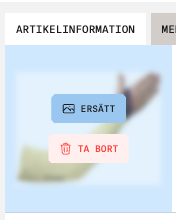
Supported file formats: .png, .jpeg, .jpg, .gif, .webp.
Safety data sheet
If you have indicated that your article is covered by the REACH regulation, you are required to upload a Safety Data Sheet.
Change or Upload
-
Open the article and go to the Environment & Compliance tab.
-
Under Chemical content, specify whether the article is covered by the REACH regulation.
-
Click Choose file and upload the document.
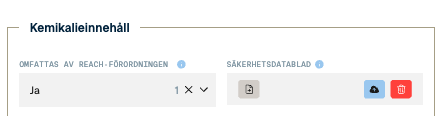
Supported file format: .pdf
Environmental Product Declaration (EPD)
If you have indicated that your article has a valid EPD, you are required to upload the document.
Change or Upload
-
Open the article and go to the Environment & Compliance tab.
-
Under Climate information, specify whether the article has a valid EPD.
-
Upload the document by choosing a file and clicking Upload.
-
Also enter the expiry date in the field for when the EPD is no longer valid.
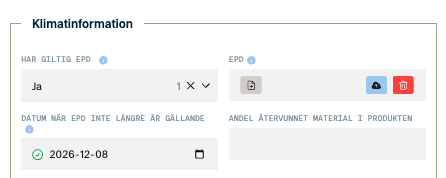
Supported file format: .pdf