
In the Search for articles field (Sök efter artiklar), you can easily find the article you want to work with.
You can search by:
-
Article number
-
Finfo number
-
GTIN
-
Name
-
NOBB number
-
E-number
-
RSK-number
Filter articles
You can also filter your search results based on optional fields using the so-called Advanced Search. You choose which fields and values to filter by and can easily combine multiple filters by clicking +FILTER.

Sort search results
Once you have filtered the articles, you can sort the list by:
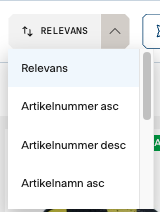
-
Relevance
-
Article number
-
Name
-
Updated
-
Created
This makes it possible to customize the view to your needs and quickly identify the right article.
Select view
You can choose how you want the articles to be displayed.
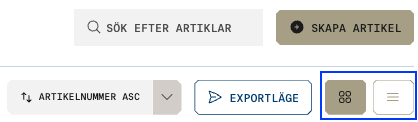
-
Article card: a visual and easy-to-read presentation of the article information.
-
Table: a more detailed view suitable for more in-depth work.
Table view
In table view you can explore the article information in more detail and create more advanced filters based on all available fields. This provides a powerful way to analyze and work in a structured manner with large amounts of data.